- A list stores references;
b = adoes not copy it - Lists are mutable; integers and strings are immutable
copy()copies one level; nested objects may still be shared- Comprehensions build a new list; do not change length while iterating
第 6 讲 · 讲义
元组、字典、字符串与集合
课件的每一页,配上讲这一页时说的话。幻灯片是网页原生渲染的,文字可以选中、可以搜索,也可以直接打印。

Introduction to Computation (CS1602) · Lecture 6
Tuples, Dicts, Strings and Sets
Instructor: Tao Huang
1
上一讲用列表存放和处理一批数据,重点是引用、修改和拷贝。今天继续处理一批数据,但任务变了:固定一条记录、按姓名查成绩、解析文本、比较两个名单。
不同任务适合不同容器。每介绍一种容器,都先看列表在哪里不方便,最后再把五种容器放在一起比较。

Where Lecture 5 Ended
2
第 5 讲的引用模型今天继续使用。元组、字典、集合里的元素也都是对象。判断一次操作的影响,要看它是在修改共享对象,还是让一个名字改指别的对象。
今天有一个需要特别核对的边界:外层容器不能修改,是否意味着里面所有对象都不能修改?
An Opening Prediction
A: a list inside a tuple
t = ([1, 2], 3)
t[0].append(4)
print(t)
B: replace a tuple item
t = ([1, 2], 3)
t[0] = [9]
print(t)
两段都想改第 0 项。哪些能执行?先预测,讲完元组后解释。
3
圆括号和逗号组成元组,今天会讲。这里提前说明一条规则:元组的元素引用不能替换。
A 沿着第 0 项找到列表,调用 append;B 给第 0 项赋一个新列表。两种操作一样吗?先预测,不公布答案。这是一道引入问题,后面会给出图和实际结果。
随堂小测 · 第 1 轮

扫码作答 · 这一轮一题
1元组内部的列表能否修改
先做预测,元组一节结束后讲评,不重复作答。
https://taohuang.info/cs1602/zh/quiz/6/
4
这一轮只有开场题。暂不公布答案,后面用元组的两层引用图解释。
答错没有关系,先区分两种可能的理解:元组自己不能改,还是它指向的每一个对象都不能改。
Four Tasks for the Same Data
- Keep a fixed record: a coordinate or an ID–score pair
- Look up a score by name, not by position
- Compare two course lists: which courses do both groups take?
- Turn text into structured data, then format the result
5
坐标通常有固定的两项,名单却需要不断添加。按姓名查成绩需要的是对应关系,比较两个班的课程需要的是成员关系。文本又需要先拆分成字段。
这四种要求对应今天的主线,不能只用“能不能做”判断容器,还要看写起来是否清楚、查找是否合适。
OVERVIEW
Today
今天分六段:元组、字典基础、字符串处理、字典应用、集合、容器选型与共同规则。API 表和补充写法放在最后的参考页,课堂先讲清主要机制。
PART 1 OF 6
Tuples
列表可以增删。一个坐标却通常只有 x 和 y 两项,不应该有人再 append 第三项。元组用来固定这一组位置。它的访问方式和列表很像,但元素引用不能替换。
A Fixed Sequence(元组)
code
1  point = (3, 4)
2  print(point[0], point[-1])
3  print(point[:1])
4  print(len(point), 4 in point)
5  print(tuple([3, 4]))
output
3 4
(3,)
2 True
(3, 4)
8
元组按顺序存放元素,可以取下标、切片、求长度、判断成员,也能用 for 遍历。tuple() 是构造函数,能把可迭代对象转成元组。
元组固定的是这些位置上的引用,下一页尝试替换一个位置。
Item Assignment Is Not Supported
code
1  point = (3, 4)
2  point[0] = 9
traceback
Traceback (most recent call last):
  File "example.py", line 2, in <module>
    point[0] = 9
    ~~~~~^^^
TypeError: 'tuple' object does not support item assignment
9
给元组元素赋值会报 TypeError。这是执行到这一行时发生的运行时错误,不是语法错误。
元组没有 append、remove、sort 这类原地修改方法。若要得到不同的内容,需要构造另一个元组。
The Comma Makes the Tuple
code
1  a = (1)
2  b = (1,)
3  c = 1, 2, 3
4  print(type(a).__name__)
5  print(type(b).__name__)
6  print(c)
7  print(tuple())
output
int
tuple
(1, 2, 3)
()
10
括号本来就用于分组,所以 (1) 仍是整数。要构成只有一项的元组,需要逗号。多个值用逗号隔开时,括号通常可以省略;空元组写 () 或 tuple()。
这是返回单个元素的元组时最容易漏掉的标点。
Packing and Unpacking(打包与解包)
code
1  point = 3, 4
2  x, y = point
3  print(x, y)
4  (a, b), c = ((1, 2), 3)
5  print(a, b, c)
6  first, *rest = (1, 2, 3, 4)
7  print(first, rest)
output
3 4
1 2 3
1 [2, 3, 4]
11
逗号把多个值打包成元组;左边写几个名字,可以把元素逐个解包。嵌套结构也可以对应解包。
最后一行赋值里的星号收集剩余元素,得到列表 [2, 3, 4]。它和函数参数的 *args 都能收集多个值,但 *args 收到元组,赋值解包的星号收到列表。
Unpacking Needs Matching Lengths
code
1 a, b = (1, 2, 3)
traceback
Traceback (most recent call last):
  File "example.py", line 1, in <module>
    a, b = (1, 2, 3)
    ^^^^
ValueError: too many values to unpack (expected 2)
12
左边两个名字、右边三个值,对应不上,报 ValueError。数量不确定时才用带星号的解包;数量已知时明确写出来,更容易发现数据不符合要求。
Returning a Record
code
1  def bounds(nums: list[int]) -> tuple[int, int]:
2      return min(nums), max(nums)
3
4  result = bounds([3, 9, 5])
5  print(result)
6  low, high = result
7  print(low, high)
output
(3, 9)
3 9
13
第 3 讲的“返回多个值”,实际上返回一个元组。调用者可以把它当作一个整体,也可以解包。
这里约定输入非空;空列表的处理不是这一页的主题。两个返回值的先后位置固定,适合用元组表示。
Fixed Slots, Mutable Contents
code
1  t = ([1, 2], 3)
2  t[0].append(4)
3  print(t)
output
([1, 2, 4], 3)
14
回到开场的 A:它能执行,打印 ([1, 2, 4], 3)。元组第 0 项仍然指向原来的列表,这个引用没有替换;列表自己的内容变了。
开场的 B 试图替换元组第 0 项的引用,所以报错。不要把“元组不可变”理解成“内部所有东西都不可变”。
Two Levels of References
15
左边名字 t 指向元组,元组的第 0 格指向列表,第 1 格指向整数。元组限制的是它的格子,不允许替换格子里的引用。
append 修改右下角的列表,元组的箭头仍指向它。图中的 30 是在构建时实际执行 append 得到的。现在可以公布开场题的答案,A 成功,B 报 TypeError。
Tuple Operations
code
1  t = (1, 2, 2, 3)
2  print(t.count(2), t.index(3))
3  print(t + (4,))
4  print(t * 2)
5  print((2, 9) < (3, 0))
6  print((2, 9) < (2, 10))
output
2 3
(1, 2, 2, 3, 4)
(1, 2, 2, 3, 1, 2, 2, 3)
True
True
16
count 数出现次数,index 找第一次出现的位置,找不到会报 ValueError。拼接和重复得到新的元组。
元组比较大小时,先比第一项;相同再比第二项,直到分出大小。字符串的字典序比较是同一种思路,后面排序时会用到。
PART 2 OF 6
Dictionaries
一条记录可以用元组表示。但一个班有很多记录,知道“第 37 条是谁”并不方便。要查询的是某个姓名或学号对应的成绩,这需要按键访问的字典。
From a Word to Its Meaning
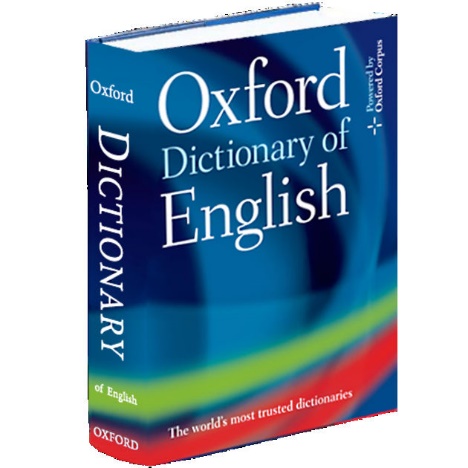
A dictionary pairs a key with a value.
A word identifies its explanation; an ID identifies a record.
18
这张纸质字典照片来自往年课件第 10 页。纸质字典按词条寻找解释,Python 字典把键对应到值。
这里只借用“键与值的对应关系”,不要把纸质字典的字母顺序等同于程序的内部实现。程序的查找机制是哈希表,下面只介绍它的作用,不讲内部细节。
By Position or by Key
19
左边是把记录放进列表,再逐个比较姓名。目标越靠后,需要检查的记录越多。右边写 scores["Chen"],直接表达“查这个姓名的成绩”。
字典使用哈希表,通常能很快查到;哈希碰撞仍然可能发生。这里画的是访问方式示意,不是实际 CPython 的槽位或地址。
Keys and Values(键与值)
code
1  scores = {"Ada": 87, "Bo": 92}
2  print(scores["Ada"])
3  print(len(scores))
4  print("Ada" in scores)
5  print(87 in scores)
output
87
2
True
False
20
花括号里,每一项写成键、冒号、值。按键取值用方括号。一个键只对应一个值,多个键可以对应相同的值。
对字典使用 in,判断的是键,不是值。所以 87 in scores 是 False,尽管 87 是其中一个成绩。
Creating a Dictionary
code
1  a = {"x": 1, "y": 2}
2  b = dict(x=1, y=2)
3  c = dict([("x", 1), ("y", 2)])
4  print(a == b == c)
5  print(type({}).__name__)
6  print(type(set()).__name__)
output
True
dict
set
21
字典可以直接写,可以用关键字参数,也可以从键值对组成的序列构造。
空花括号是空字典,不是空集合。空集合写 set(),到集合一节还会用到。
Nested Dictionaries(嵌套字典)
code
1  results = {"Ada": {"Math": 87, "Physics": 92}}
2  print(results["Ada"])
3  print(results["Ada"]["Math"])
4  results["Ada"]["Math"] = 90
5  print(results["Ada"]["Math"])
output
{'Math': 87, 'Physics': 92}
87
90
22
字典的值也可以是字典。第一层键是学生姓名,得到这个学生的成绩字典;第二层键是科目,得到该科成绩。
两个方括号就是两次已经讲过的按键查找。Lab 6 的解析成绩单用这个结构,不需要先学新的访问语法。
KeyError
code
1  scores = {"Ada": 87}
2  print(scores["Chen"])
traceback
Traceback (most recent call last):
  File "example.py", line 2, in <module>
    print(scores["Chen"])
          ~~~~~~^^^^^^^^
KeyError: 'Chen'
23
不存在的键会报 KeyError。报错给出的 Chen 是程序尝试查询的键。
有时缺失意味着数据错误,应该暴露出来;有时缺失很正常,比如计数器第一次见到一个词。下一页讲后者怎么处理。
get() Does Not Insert
code
1  scores = {"Ada": 87}
2  print(scores.get("Chen"))
3  print(scores.get("Chen", 0))
4  print(scores)
output
None
0
{'Ada': 87}
24
get 找得到就返回值,找不到就返回默认值;没写默认值时返回 None。它不会修改字典。
默认值要按问题决定。查询成绩时用 0 可能把“缺记录”误认为“考了零分”;统计次数时,第一次没出现过按 0 计才合适。
setdefault() Can Insert
code
1  scores = {"Ada": 87}
2  print(scores.setdefault("Chen", 0))
3  print(scores)
4  print(scores.setdefault("Ada", 100))
5  print(scores["Ada"])
output
0
{'Ada': 87, 'Chen': 0}
87
87
25
setdefault 在键不存在时把默认值写进去,再返回这个值;键存在时返回原来的值,不覆盖。
最后两行说明,Ada 已有 87,传入默认值 100 并不会把它改成 100。这是它和普通赋值的区别。
Adding, Updating and Removing
code
1  scores = {"Ada": 87, "Bo": 92}
2  scores["Chen"] = 65
3  scores["Ada"] = 90
4  del scores["Bo"]
5  print(scores)
6  print(scores.pop("Chen"))
7  print(scores)
output
{'Ada': 90, 'Chen': 65}
65
{'Ada': 90}
26
同一个赋值语句,键不存在时新增,存在时更新。del 按键删除;pop 按键删除并返回值。
字典和列表不一样:列表不能通过给越界下标赋值来增加元素,字典则可以通过新键赋值增加一项。
Insertion Order(插入顺序)
code
1  d = {"Bo": 92, "Ada": 87}
2  d["Bo"] = 95
3  d["Chen"] = 65
4  print(list(d))
5  print(d.popitem())
6  print(list(d))
output
['Bo', 'Ada', 'Chen']
('Chen', 65)
['Bo', 'Ada']
27
现代 Python 字典保持插入顺序,不是排序后的顺序。更新已有键 Bo 的值不改变位置,新增 Chen 排在最后。
popitem 返回并删除最后插入的一对键值。旧课件说“字典无序”,今天不能沿用。
Keys, Values and Items
code
1  scores = {"Ada": 87, "Bo": 92}
2  print(list(scores.keys()))
3  print(list(scores.values()))
4  print(list(scores.items()))
5  for name, mark in scores.items():
6      print(name, mark)
output
['Ada', 'Bo']
[87, 92]
[('Ada', 87), ('Bo', 92)]
Ada 87
Bo 92
28
keys 取键,values 取值,items 取键值对。items 每一项是一个二元素元组,循环里直接解包成 name 和 mark。
这些方法返回视图,不直接返回列表。这里套 list 是为了展示;实际遍历不需要先变成列表。
A View Follows Its Dictionary
code
1  scores = {"Ada": 87}
2  view = scores.keys()
3  snapshot = list(view)
4  scores["Bo"] = 92
5  print(list(view))
6  print(snapshot)
output
['Ada', 'Bo']
['Ada']
29
视图和原字典关联。创建 view 后再增加键,view 反映这个变化;snapshot 是当时生成的列表,不会跟着增加。
这和前面引用、复制的区别有关,但不是说视图能任意赋值,它提供的是观察字典内容的接口。
Changing Size During Iteration
code
1  scores = {"Ada": 87, "Bo": 92}
2  for name in scores:
3      if scores[name] < 90:
4          del scores[name]
traceback
Traceback (most recent call last):
  File "example.py", line 2, in <module>
    for name in scores:
                ^^^^^^
RuntimeError: dictionary changed size during iteration
30
遍历字典时不应增删键:可能报 RuntimeError,也可能遗漏原有项或遍历新增项。本例删除后改变了大小,因此报错。错误发生在运行时,语法本身合法。
只更新已有键的值,不改变键集合;这里的删除会改变大小,所以不能和遍历同一个字典混在一起。
Keep the Iteration Separate
code
1  scores = {"Ada": 87, "Bo": 92, "Chen": 65}
2  remove = [k for k, v in scores.items() if v < 90]
3  for name in remove:
4      del scores[name]
5  print(scores)
output
{'Bo': 92}31
先遍历 scores,收集要删除的键;再遍历独立的 remove 列表,修改 scores。两次循环操作的对象不同。
也可以用字典推导生成新的字典:花括号里写键和值。下一页给出这种形式。
Dictionary Comprehension(字典推导)
code
1  scores = {"Ada": 87, "Bo": 92, "Chen": 65}
2  passed = {k: v for k, v in scores.items() if v >= 90}
3  print(passed)
4  print(scores)
output
{'Bo': 92}
{'Ada': 87, 'Bo': 92, 'Chen': 65}
32
和列表推导一样,for 提供元素,if 决定是否保留,前面的表达式生成结果。字典推导要生成一对键和值。
这是一个新字典,原来的 scores 不受影响;是否替换原名字,可以再根据需求决定。
Hashable Keys(可哈希的键)
code
1  d = {"Ada": 87, (3, 4): "point", 42: "answer"}
2  print(d[(3, 4)])
3  print(hash((3, 4)) == hash((3, 4)))
output
point
True
33
字典键需要可哈希:哈希值在对象生存期间稳定,相等的键必须有相等的哈希值。这里不背具体哈希数值,只观察同一个键产生相同的值。
数、字符串、元素都可哈希的元组可以作键。列表不行;元组里有列表也不行。下一页演示这个边界。
An Unhashable Tuple
code
1  key = ([1, 2], 3)
2  d = {key: "value"}
traceback
Traceback (most recent call last):
  File "example.py", line 2, in <module>
    d = {key: "value"}
        ^^^^^^^^^^^^^^
TypeError: unhashable type: 'list'
34
元组本身不可变,仍可能不可哈希:它含有一个列表。不要用“元组不能修改”推出“所有元组都能作键”。
本课程使用内置类型时,按实际类型和组成元素检查。自定义类型的哈希规则到后面再讨论。
Aliases, Copies and Merges
code
1  a = {"x": 1, "y": 2}
2  b = a
3  c = a.copy()
4  b["x"] = 9
5  print(a, c)
6  extra = {"y": 20, "z": 30}
7  print(a | extra)
8  print({**a, **extra})
9  print(c.update(extra))
output
{'x': 9, 'y': 2} {'x': 1, 'y': 2}
{'x': 9, 'y': 20, 'z': 30}
{'x': 9, 'y': 20, 'z': 30}
None
35
b 和 a 是同一个字典,c 是浅拷贝;内层可变对象仍可能共享。合并运算 | 和 ** 解包都生成新字典,同名键取后面的值。
update 原地更新,返回 None,和第 5 讲原地修改列表的方法一致。clear 清空原字典,不是把名字改指到新字典。
PART 3 OF 6
Processing Text
字典已经能保存记录。但原始数据往往是一行文本,要先拆成姓名、科目、分数,再放进容器。第 3 讲讲过字符串的基本操作,这里补处理文本的方法。所有方法都不修改原字符串,但返回类型各不相同。
split(): Text into Fields
code
1  line = "Ada,Math,87"
2  parts = line.split(",")
3  print(parts)
4  print(parts[0], int(parts[2]))
output
['Ada', 'Math', '87']
Ada 87
37
split 把字符串按分隔符拆成列表。这里逗号划分字段,得到三个字符串;成绩要继续用 int 转换。
分隔符也可能出现在字段内部,所以复杂文件要用专门解析器。这一页只处理已经约定好的简单格式。
Whitespace or One Space
code
1  s = "  Ada   Bo\tChen  "
2  print(s.split())
3  print(s.split(" "))
output
['Ada', 'Bo', 'Chen']
['', '', 'Ada', '', '', 'Bo\tChen', '', '']
38
不带参数的 split 按连续空白切分,并忽略两端空白。空格、Tab、换行都属于空白。
split(" ") 只按单个空格切开,会保留空字段,也不会把 Tab 当分隔。两种写法不是一个规则,不能随意替换。
join(): Fields into Text
code
1  parts = ["Ada", "87", "Math"]
2  print(" / ".join(parts))
3  print("".join(parts))
4  print("\n".join(parts))
output
Ada / 87 / Math
Ada87Math
Ada
87
Math
39
join 写在分隔字符串后面,参数是一组字符串。它在相邻项之间插入分隔符,最后不额外加一个分隔符。
数要先用 str 转换,不能直接 join 一个整数列表。split 和 join 常一起出现,但不保证互相完全还原,例如默认 split 会丢掉多余空白。
Text, Fields and Text Again
40
从左上角的字符串出发,split 生成右边的字符串列表;再用新的分隔符 join,得到左下角的新字符串。每个框上的类型都写出来了。
原来的字符串没有变化。图里字段和结果由 Python 实际计算,和上一页使用的是同一类操作。
strip(): Only the Ends
code
1  s = "  Ada   Bo  \n"
2  print(repr(s.strip()))
3  print(repr(s.lstrip()))
4  print(repr(s.rstrip()))
5  print("cat!".strip(".!?"))
output
'Ada   Bo'
'Ada   Bo  \n'
'  Ada   Bo'
cat
41
strip 去掉两端字符,默认去空白;lstrip 只去左端,rstrip 只去右端。中间三个空格不会消失。
参数是要去掉的字符集合,不是一个完整前缀或后缀。词频题要去掉词两端的标点,就可以用这个参数。
Case Conversion and Prefix Tests
code
1  s = "Hello World"
2  print(s.upper())
3  print(s.lower())
4  print(s.title())
5  print(s.startswith("Hello"))
6  print(s.endswith("!"))
7  print(s)
output
HELLO WORLD
hello world
Hello World
True
False
Hello World
42
upper、lower、title 返回字符串,startswith、endswith 返回布尔值。方法都不改变原串,所以最后 s 仍然是 Hello World。
title 的大小写规则不等于所有人名或标题的正确写法,需要按数据的要求选择方法。
Character Tests
code
1  for s in ["123", "12.3", "-5", "abc", ""]:
2      print(repr(s), s.isdigit(), s.isalpha())
3  print("abc123".isalnum())
output
'123' True False
'12.3' False False
'-5' False False
'abc' False True
'' False False
True
43
isdigit 要求至少有一个字符,而且每个字符都是数字;小数点和负号都不符合。isalpha 判断字母,isalnum 判断字母或数字。
这些方法使用 Unicode 分类,并非只认 ASCII。判断字符串能否转换为数字,还需要考虑转换函数接受的语法,不能简单用 isdigit 代替。
find(), count() and replace()
code
1  s = "the quick brown fox"
2  print(s.find("quick"))
3  print(s.find("cat"))
4  print(s.count("o"))
5  print(s.replace("quick", "slow"))
6  print(s)
output
4
-1
2
the slow brown fox
the quick brown fox
44
find 返回首次出现的下标,找不到返回 -1;count 返回不重叠的出现次数;replace 返回替换后的字符串。
这页里返回了整数和字符串两种类型。调用方法后需要接什么结果,必须看它的接口,不能因为操作对象是字符串就认为返回值也是字符串。
Types of Method Results
code
1  s = "Ada Bo"
2  print(type(s.split()).__name__)
3  print(type(s.find("Bo")).__name__)
4  print(type(s.isalpha()).__name__)
5  print(type(s.lower()).__name__)
output
list
int
bool
str
45
把刚才的方法结果放在一起,分别是 list、int、bool、str。共同点是不会原地修改字符串,返回类型却不同。
第 5 讲的列表方法经常返回 None,因为它们负责原地修改。今天不能把那条规则照搬到所有对象的方法上。
Formatting beyond Decimal Places
code
1  n = 1234567.891
2  print(f"{n:,.2f}")
3  print(f"{0.856:.1%}")
4  print(f"{42:*^11}")
5  print(f"{True!s:<6}!")
output
1,234,567.89
85.6%
****42*****
True  !
46
第 3 讲讲了小数位和对齐。这里加千分位、百分比和填充字符。宽度是最小宽度,不会截断较长的数。
True 是 bool,非空的数字格式说明可能把它格式化成 1;!s 先转成字符串,再对齐,所以输出 True。完整类型表留在参考页。
PART 4 OF 6
Dictionaries in Use
前面分别讲了字典和文本处理,现在把它们组合起来。统计文章里的每个词、按首字母分组、按月份查天数,都需要一个键对应一个值。
Word Counts(词频统计)
code
1  text = "the cat the dog the cat"
2  counts: dict[str, int] = {}
3  for word in text.split():
4      counts[word] = counts.get(word, 0) + 1
5  print(counts)
output
{'the': 3, 'cat': 2, 'dog': 1}48
往年用完整演讲做词频统计,这个应用很好,课堂先用短句看清每一次更新。键是词,值是次数。
第一次遇到一个词,get 默认返回 0,加一后写入 1;下次取出旧次数再加一。没有必要为每一个可能的词预先建变量。
Sorting with a Function
code
1  counts = {"the": 3, "cat": 2, "dog": 1}
2  def count_of(pair: tuple[str, int]) -> int:
3      return pair[1]
4
5  top = sorted(counts.items(), key=count_of, reverse=True)
6  print(top[:2])
output
[('the', 3), ('cat', 2)]49
items 提供词和次数的元组。count_of 接受一个元组、返回次数,sorted 按这个结果排序。reverse=True 是从大到小。
key=count_of 传的是函数对象,没有括号;不是此处先调用它。第 3 讲函数也是对象的结论,在这里派上用场。
Two Sorting Priorities
code
1  pairs = [("dog", 2), ("cat", 2), ("the", 3)]
2  def order(pair: tuple[str, int]) -> tuple[int, str]:
3      return -pair[1], pair[0]
4
5  print(sorted(pairs, key=order))
output
[('the', 3), ('cat', 2), ('dog', 2)]50
Lab 6 要求次数从多到少,相同时按字母序。排序键返回一个元组,先比负次数,再比单词。次数越大,负数越小,所以默认从小到大恰好把高次数放在前面。
这两项顺序不能颠倒。本页只用已经讲过的元组比较和具名函数,不提前使用 lambda。
Grouping and Counter
code
1  groups: dict[str, list[str]] = {}
2  for word in ["apple", "avocado", "banana"]:
3      groups.setdefault(word[0], []).append(word)
4  print(groups)
5  from collections import Counter
6  print(Counter("the cat the cat".split()).most_common(2))
output
{'a': ['apple', 'avocado'], 'b': ['banana']}
[('the', 2), ('cat', 2)]
51
按首字母分组时,每个值是列表。setdefault 在第一次出现某个首字母时插入空列表,返回这个列表,然后 append 单词。
Counter 是标准库的计数工具,most_common 返回出现最多的若干项。先会手写计数过程,再用库函数,才知道它解决了什么问题。但次数相同时,most_common 按首次出现的顺序排列;Lab 6 要求按单词字典序处理并列,需要使用前一页的双重排序。
A Lookup Table
code
1  days = {1: 31, 2: 28, 3: 31, 4: 30}
2  def month_days(month: int) -> int:
3      return days[month]
4
5  print(month_days(2), month_days(4))
output
28 30
52
往年把查表和一长串 if-elif 对比,这个例子值得保留。当分支只是在输入和固定输出之间建立对应,用字典就很清楚。
这里只写前四个月,二月按非闰年处理。实际月份表要写完整;输入范围也要按接口约定检查,不能把这个短例子当成通用日期函数。
PART 5 OF 6
Sets
如果只关心一个词是否出现过,而不关心次数,就不需要为每个词保存一个值。集合只记录成员关系。它适合去重、检查出现过没有,以及比较两组成员。
Distinct Members(集合)
code
1  nums = [3, 1, 3, 2, 1]
2  s = set(nums)
3  print(sorted(s))
4  print(len(s), 2 in s)
5  print(set("banana") == {"b", "a", "n"})
output
[1, 2, 3]
3 True
True
54
集合不保存重复元素,也不保证顺序。为了让课件输出稳定,这里用 sorted 展示,而不是把集合恰好打印的顺序当规律。
set 可以从列表、元组、字符串、字典等可迭代对象构造;给字典时取到的是键。
No Positional Index
code
1  s = {1, 2, 3}
2  print(s[0])
traceback
Traceback (most recent call last):
  File "example.py", line 2, in <module>
    print(s[0])
          ~^^^
TypeError: 'set' object is not subscriptable
55
集合没有按位置访问的接口,s[0] 报 TypeError。集合里恰好有整数 0 时,也不能把下标 0 当成查询这个值。
判断成员用 in,若确实要按顺序处理,先根据明确规则排序或使用列表。
Adding and Removing Members
code
1  s = {1, 2}
2  s.add(3)
3  s.update([3, 4])
4  s.remove(2)
5  s.discard(99)
6  print(sorted(s))
7  print(s.add(5))
8  s.clear()
9  print(len(s))
output
[1, 3, 4]
None
0
56
add 加一个成员,update 加一批。remove 删除不存在的成员会报 KeyError,discard 在不存在时也不会报错。clear 清空集合。
这些修改方法返回 None,不要把返回值赋回原名字。和列表一样,集合本身可变,但每个成员必须可哈希。
Hashable Members
code
1  s = {(1, 2), "Ada", 3}
2  print((1, 2) in s)
3  s.add([4, 5])
traceback
Traceback (most recent call last):
  File "example.py", line 3, in <module>
    s.add([4, 5])
TypeError: unhashable type: 'list'
57
数、字符串、各项都可哈希的元组可以放进集合,列表不行。这和字典的键要求一致。
set 自己不可哈希,因此也不能直接作字典键。若需要不可变集合,Python 提供 frozenset,列在参考页。
Four Set Operations(集合运算)
58
这张图借鉴往年第 43 页的差集和对称差图,并补齐并集、交集,用相同布局对照。A 是 {1, 2, 3},B 是 {2, 3, 4},橙色区域是结果。
并集取两边所有成员;交集只取重叠处;A-B 只取 A 独有成员;对称差取只在一边的成员。数字和结果由实际集合运算算出。
Operations on Course Lists
code
1  a = {"Math", "Physics", "Python"}
2  b = {"Physics", "Art", "Python"}
3  print(sorted(a & b))
4  print(sorted(a - b))
5  print(sorted(a | b))
6  print(sorted(a ^ b))
output
['Physics', 'Python']
['Math']
['Art', 'Math', 'Physics', 'Python']
['Art', 'Math']
59
把集合运算用在两个班的课程名单上。交集是共同课程,差集是只有 A 班上的课程,并集是至少一个班上的课程,对称差是仅一个班上的课程。
符号和第 4 讲的位运算相同,但操作对象不同,含义是集合关系。
Subset and Superset(子集与超集)
code
1  a = {1, 2}
2  b = {1, 2, 3}
3  print(a <= b, a < b)
4  print(a <= a, a < a)
5  print(b >= a)
6  print(a.isdisjoint({4, 5}))
output
True True
True False
True
True
60
集合的 <= 是子集关系,不是比较最小元素。< 是真子集,还要求不相等。所以 a <= a 为真,a < a 为假。
isdisjoint 判断有没有共同成员,没有就是 True。名单权限、课程先修集合等问题里,这些关系很有用。
Deduplication with Order
code
1  nums = [3, 1, 3, 5, 1, 7]
2  seen: set[int] = set()
3  out: list[int] = []
4  for x in nums:
5      if x not in seen:
6          seen.add(x)
7          out.append(x)
8  print(out)
9  print(list(dict.fromkeys(nums)))
output
[3, 1, 5, 7]
[3, 1, 5, 7]
61
Lab 6 的保序去重,把两个任务分开:列表保存首次出现的顺序,集合快速判断是否见过。不能把 set 转回列表就认为顺序还在。
dict.fromkeys 也能保留首次插入顺序。方法表中的这个工具和手写循环得到同样结果,但实验题明确要求用集合加速成员判断。
PART 6 OF 6
Choosing and Sharing Containers
现在五种容器都见过了。最后把它们放在一起,并检查几条共同规则:真假值、遍历、参数传递,以及修改和重新绑定。
A Container Decision Guide
63
先判断任务:文本用 str;按键对应一个值用 dict;只关心成员用 set;按位置访问序列再选择 list 或 tuple。
这是一张初步判断图,不是永远只用一个容器。保序去重就是列表和集合配合。元组固定槽位,但内部仍可能有可变对象,选完后还要检查组成。
Empty Containers Are False
code
1  for x in [[], (), "", {}, set(), [0], "0"]:
2      print(repr(x), bool(x))
output
[] False
() False
'' False
{} False
set() False
[0] True
'0' True
64
空列表、空元组、空字符串、空字典、空集合都为 False;非空容器为 True。[0] 非空,虽然元素是零,仍为 True;字符串 "0" 也为 True。
if items 可以判断是否为空,不要把“非空”误认为“每个元素都为真”。
List + and +=
+: new list and rebind
a = [1, 2]
b = a
a = a + [3]
print(a, b)
print(a is b)
output
[1, 2, 3] [1, 2]
False
+=: extend this list
a = [1, 2]
b = a
a += [3]
print(a, b)
print(a is b)
output
[1, 2, 3] [1, 2, 3]
True
列表上的 += 会修改原对象,不能简单当成 a = a + b 的缩写。
65
往年把这两种写法并排,是很好的进阶对照。左边加号新造一个列表,a 改指过去,b 留在原对象;右边列表的 += 原地扩展,b 看得到。
数和字符串不可变,因此复合赋值会重新绑定;不能把一种类型的行为推到所有类型。
Changing a Parameter
code
 1  def add(items: list[int]) -> None:
 2      items.append(3)
 3  a = [1, 2]
 4  add(a)
 5  print(a)
 6
 7  def with_item(items: list[int]) -> list[int]:
 8      return items + [4]
 9  print(with_item(a))
10  print(a)
output
[1, 2, 3]
[1, 2, 3, 4]
[1, 2, 3]
66
函数参数和调用者手里的名字指向同一个对象。第一个函数修改列表,调用者看得到;第二个函数返回新列表,不改原来的。
可变参数可能被修改,不是传进去就一定会修改。接口要写清楚是否修改输入;元组内层是列表时,也不能因为外层不可变就保证内部不变。
Iteration Is Not a Snapshot
code
1  a = [1, 2, 3]
2  for x in a:
3      x = 99
4  print(a)
5
6  scores = {"Ada": 87, "Bo": 92}
7  for name in scores:
8      scores[name] += 1
9  print(scores)
output
[1, 2, 3]
{'Ada': 88, 'Bo': 93}
67
给循环变量 x 重新赋值,不会替换列表的元素;修改 x 指向的可变对象则可能影响原容器。for 并不提前复制整个容器。
字典循环中更新已有值不会改变键集合,这里合法;增加或删除键则不能这样做。要改变结构,先复制、先收集,或新建容器。
zip(): Parallel Iteration
code
1  names = ["Ada", "Bo", "Chen"]
2  marks = [87, 92]
3  print(list(zip(names, marks)))
4  print(dict(zip(names, marks)))
5  for i, pair in enumerate(zip(names, marks), 1):
6      print(i, pair)
output
[('Ada', 87), ('Bo', 92)]
{'Ada': 87, 'Bo': 92}
1 ('Ada', 87)
2 ('Bo', 92)
68
zip 每次配对各序列的下一项,默认最短的序列结束时就停止。这里 Chen 没有对应的成绩,所以不会出现。
zip 本身不是列表,需要 list 才会展开;dict 可以直接接受键值对。输入应一一对应时,要先检查长度,不能把截断当成自动补齐。
Three Minutes with Your Neighbour
按学号查询成绩,同时保留提交顺序。应该用一个容器,还是组合几种?
Explain the representation and which operations it supports.
69
讨论三分钟。问题没有唯一写法,重要的是说明需求和操作。
参考思路:每条记录可以是元组;列表保存所有提交的先后;字典按学号定位最新记录或一组记录。若一个学生能提交多次,要先决定保存全部还是只保存最后一次,不能让同名键覆盖悄悄替你决定。
随堂小测 · 第 2 轮
扫码作答 · 这一轮五题
1get 与 setdefault
2split 的两种规则
3差集与对称差
4列表 += 的影响
5zip 到哪里结束
字典、文本、集合、修改与配对各一题;答完再公布。
https://taohuang.info/cs1602/zh/quiz/6/
70
这一轮的五题都使用已经讲过的语法,不再重复开场题。
第二题核对 split 是否产生空字段;第三题区分差集和对称差;第四题沿引用判断 += 的影响;第五题检查 zip 是否因较短输入而截断。
讲评时让学生先说规则,再用输出验证,而不是记选项顺序。
What to Take Away
- Tuple: fixed references; nested objects may still be mutable
- Dict: key → value; insertion order; hashable keys
- String methods: no in-place mutation; different return types
- Set: membership without duplicates or guaranteed order
- Choose by the task; document sharing and changes to inputs
71
回到开场:元组自己不能替换元素,并不意味着它指向的列表不能修改。再回到今天的主线:不同任务选择不同容器。
不能只背“元组不可变、字典查找快、集合去重”。还要能解释边界:元组能不能作键要看元素,字典的有序是插入顺序,集合不保证顺序,字符串方法返回类型各不相同。
Lab 6 — 词频统计与容器选型
- 6-1 invert: swap keys and values; explain repeated values
- 6-2 unique_ordered: list for order, set for membership
- 6-3 / 6-4 common names and groups by first letter
- 6-5 parse text into nested dictionaries
- 6-6 top words: clean, count, sort with two priorities
- 6-7 choose containers and explain the requirements
B 段比较查找代价;C 段练习 Git 远程同步。6-7、B、C 分别有答题卡。
72
Lab 6 的七题组合今天的工具。6-1 要解释原字典值重复时会发生什么;6-2 明确要求用集合检查是否出现过;6-5 处理字段两端的空白。
6-6 是完整词频统计:统一大小写、去两端标点、跳过空词、计数、按次数和字典序排序。6-7 不写代码,在独立答题卡里写选择理由。每个函数继续写类型提示。
B 段比较列表和集合的查找代价,先计数再计时;C 段承接上周的 Git,练习私有远程仓库与同步。6-7、B、C 各有答题卡,不要把回答混进源码或误写到别题的提交说明里。
实验另有 B 段和 C 段:B 比较列表与集合的查找代价,先数比较次数,再计时;C 接着上一周的 Git,练习私有远程仓库的推送和同步,网络不通时可用本地仓库替代。6-7、B、C 都在各自的答题卡里提交,不要混进代码。
Next Lecture
Recursion(递归)
Solve a smaller instance of the same problem, then combine the answer.
73
下一讲把复杂问题分成更小的同类问题,用递归来组织计算。今天的嵌套容器为递归提供了很自然的例子:列表里面还有列表,要处理每一层,就会遇到同一种问题。
参考页从下一页开始,课堂可以按时间选讲,知识点保留供课后查阅。
FOR LOOKUP AFTER CLASS
Reference Pages
下面是参考页。字典方法表、制表位、格式类型、动态执行等知识点保留,避免为了控制课堂页数删掉覆盖;课堂主线到上一页已经结束。
Rebinding and Deleting a Name
code
1  t = (1, 2)
2  old = t
3  t = t + (3,)
4  print(t, old)
5  del t
6  print(old)
output
(1, 2, 3) (1, 2)
(1, 2)
75
元组元素不能替换,但名字可以重新绑定。t = t + (3,) 生成新的元组,再让 t 指向它;old 仍指向原来的元组。
del t 删除名字绑定,并不是逐层删除这个对象和它引用的全部对象。这里 old 仍可正常访问原来的元组。
A Graph as Nested Dictionaries
76
这张加权图借鉴往年第 24 页。A、B、C 是三个节点,箭头表示可以从哪一个节点到哪一个节点,旁边的数是这条边的权重。
不用先学图算法,也能把它表示为嵌套字典:外层键是出发点,内层键是终点,值是权重。下一页写出这个结构。
Looking Up an Edge Weight
code
1  graph = {
2      "A": {"B": 3, "C": 1},
3      "B": {"C": 4},
4      "C": {},
5  }
6  print(graph["A"]["C"])
7  print(graph["B"]["C"])
output
1
4
77
外层用 A 取到从 A 出发的各条边,再用 C 取到去 C 的权重 1。B 到 C 的权重是 4。空字典表示这个例子里没有从 C 出发的边。
这是往年“字典表示图”的内容,保留为参考例子,只理解数据表示,不在这里展开图的遍历算法。
Multi-Line Statements
code
1  scores = {
2      "Ada": 87,
3      "Bo": 92,
4  }
5  total = (
6      scores["Ada"]
7      + scores["Bo"]
8  )
9  print(total)
output
179
78
括号、方括号、花括号内部允许自然换行,长记录和表达式优先这样排版。
反斜线也能显式续行,但它必须紧贴换行,后面不能有空格或注释。通常用括号续行更不容易出错。
Tabs and expandtabs()
code
1  print(repr("a\tb".expandtabs(4)))
2  print(repr("abc\tb".expandtabs(4)))
3  print(repr("a\tb".expandtabs(8)))
output
'a   b'
'abc b'
'a       b'
79
往年的 Tab 例子有教学价值:Tab 不是固定数量的空格,它走到下一个制表位。expandtabs(4) 把每四列作为一个制表位,所以 a 后补三格,abc 后只补一格。
这是 Python 字符串转换的明确规则,终端如何显示 Tab 还取决于环境设置。排成绩表仍优先用 f-string 的宽度和对齐。
Constants in the string Module
code
1  import string
2  print(string.ascii_lowercase)
3  print(string.ascii_uppercase)
4  print(string.digits)
5  print(string.hexdigits)
6  print(repr(string.whitespace))
output
abcdefghijklmnopqrstuvwxyz
ABCDEFGHIJKLMNOPQRSTUVWXYZ
0123456789
0123456789abcdefABCDEF
' \t\n\r\x0b\x0c'
80
string 模块提供 ASCII 字母、数字、标点、空白等常量,不需要自己逐个输入。ascii_letters 只包含 ASCII 字母,不等于所有 Unicode 字母。
往年把已经移除的 formatter 模块和 string 模块混在一起,不能由此说 string 模块不推荐。它仍是正常的标准库模块。
Format Types
code
1  print(f"{42:d} {42:b} {42:o} {42:x}")
2  print(f"{65:c}")
3  print(f"{1234.5:.2e}")
4  print(f"{1234.5:.4g}")
5  print(f"{42:+06d}")
6  print(f"{1234567:_}")
output
42 101010 52 2a
A
1.23e+03
1234
+00042
1_234_567
81
格式类型 d、b、o、x 分别表示十进制、二进制、八进制、十六进制;c 按 Unicode 编号生成字符;e 是科学计数法,g 按有效数字选择表示。
正负号、补零、千分位可以组合。这里是常用写法,不宣称穷尽官方格式语法;完整语法需要查 Python 文档。
Other Formatting Interfaces
code
1  name, mark = "Ada", 87.125
2  print(f"{name}: {mark:.2f}")
3  print("{}: {:.2f}".format(name, mark))
4  print("%s: %.2f" % (name, mark))
5  print(format(mark, ".2f"))
output
Ada: 87.12
Ada: 87.12
Ada: 87.12
87.12
82
f-string、str.format、百分号格式都是会遇到的写法。前三行得到相同文本,课程新代码以 f-string 为主。format 内置函数接受一个值和格式说明。
不需要为同一任务混用几套接口,但阅读旧代码时要能识别。
Dictionary Method Reference
code
1  d = {"Ada": 87, "Bo": 92}
2  print(d.pop("Chen", None))
3  print(d.popitem())
4  print(dict.fromkeys(["x", "y"], 0))
5  print(d.clear())
6  print(d)
output
None
('Bo', 92)
{'x': 0, 'y': 0}
None
{}
83
pop 可以给缺失键一个默认值;popitem 从尾部取出键值对;fromkeys 用一组键创建字典;clear 清空并返回 None。
fromkeys 的默认值如果是列表,各个键会共享同一个列表,和第 5 讲共享可变对象的规则一致。使用前要明确是否希望共享。
A Frozen Set
code
1  key = frozenset({1, 2})
2  d = {key: "pair"}
3  print(d[frozenset({2, 1})])
4  print(key == {1, 2})
output
pair
True
84
frozenset 是不能增删成员的集合,可以作为字典键;它仍不保证顺序。两个集合的成员相同,就相等,不需要插入次序一致。
不要把普通可变 set 当作可哈希对象;这也是“可变容器”和“元素的要求”之间的区别。
eval() and exec(): Trusted Constants Only
code
1  print(eval("1 + 2"))
2  scope = {}
3  print(exec("x = 1 + 2", scope))
4  print(scope["x"])
output
3
None
3
85
eval 求表达式的值,不能在里面写普通赋值语句;exec 执行语句,返回 None。这页只用课程中写死的可信字符串。
两者都能执行任意代码,不得把用户输入或来源不明的文本交给它们。解析普通数字用 int、float,解析专门数据格式用相应工具。了解区别不等于在作业里使用。